Create a reporting workflow
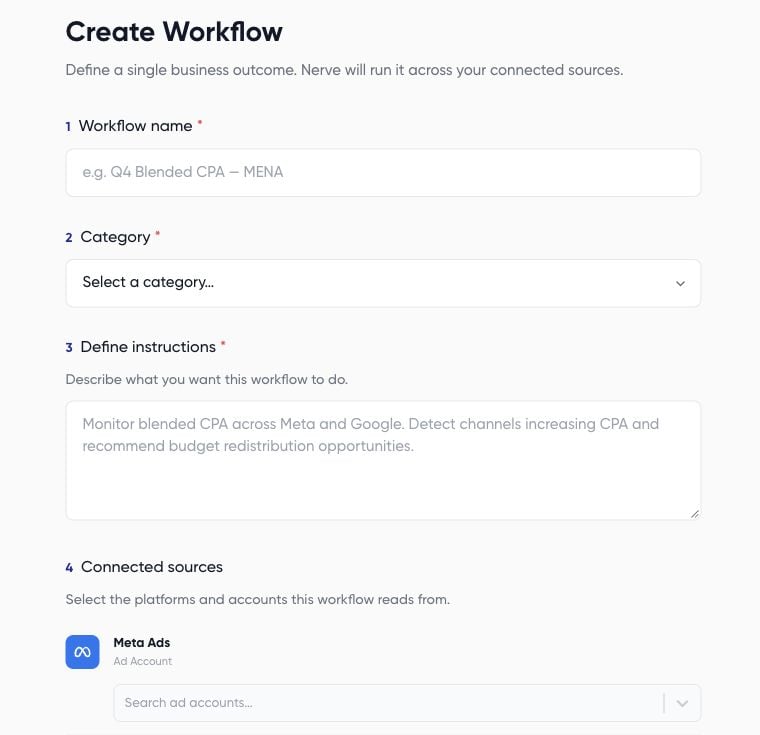
- Go to AI Agents > Workflows and choose New workflow.
- Enter a descriptive name, such as Weekly Example Brand review.
- Choose a category. Available categories include Optimization, Reporting, Pacing, Creative, Targeting, CRM Sync, and Analysis.
- In Define instructions, specify the accounts, reporting periods, metrics, output, and permitted actions.
- Under Connected sources, select the platform connections and intended accounts.
- Review Connected destinations. Configure email only if you intend to send the output to those recipients.
- Choose Create workflow, then inspect the generated steps in the builder.